Showing posts with label zazzle. Show all posts

April 08, 2021

Would You Like to Design Your Own Business Cards?

If you'd like to create and order your own Business Cards online, you can do so easily with Zazzle.

I have created a number of different designs that you use as templates, easily adding your own details.

Here is my latest design - which would work with Couriers or Delivery Drivers...


You can see the areas that are editable. It takes just a couple of minutes to do! Try it yourself...
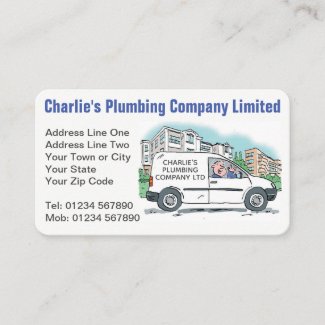
Simple to Adapt Business Card Templates >>


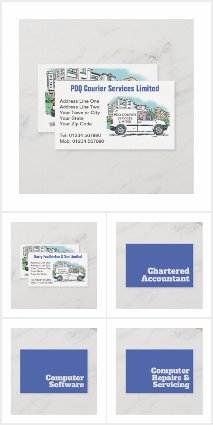
There are lots more designs to start working from in my Business Card Collection on Zazzle. Take a look...
April 30, 2020

Taking Inspiration from What is Around You...

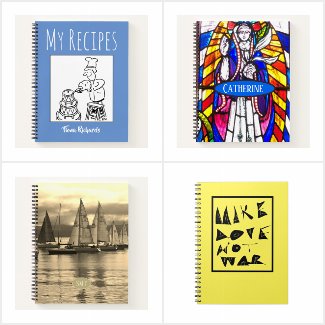
Sometimes you see something of beauty, and you just want to take a photograph to capture it for ever. This was the case with me when I was exploring a historic building in Scotland not so long ago. Sunlight was streaming through a stained glass window, giving the glass panes an extra depth of colour. The photograph just had to be taken.


And then, days later, whilst trying to be creative in my Zazzle store, and looking through my photos for inspiration, the stained glass window came to my attention again. That would look good on some gift items I thought to myself, fully aware that the idea was maybe a little incongruous.

Adding My Stained Glass Image to a Zazzle Product

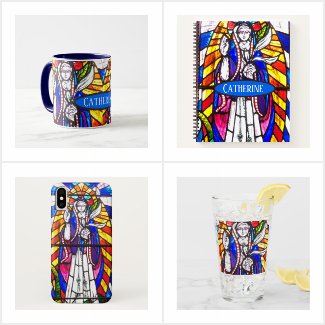
So I took a selected area of the image and positioned it on a mug, as well as a few other items. For some I added a name, giving the ability for personalisation. Here’s one example. A mug.


A mug with a stained glass design and also the name of the recipient.
A Mug with Stained Glass Design plus Recipient's Name
Take a look at the mug in my Zazzle store...

It just shows that you can take inspiration from anything when it comes to being creative!

My Stained Glass Gift Collection

Here is a link to the full Stained Glass collection that is in my Zazzle Store.


You can sign up with Zazzle and start making money from your own designs and creations by clicking the banner below...
Shop & Create on Zazzle

See my cartoons at www.nigelsutherland.co.uk

If you liked my post, please share via the buttons below. Thanks!

April 01, 2020

Retirement, Long Service and Commemorative Items - Gifts that are Sure to be Treasured...

I thought I'd write a post to show items I've created on Zazzle that are designed to commemorate significant events - such as long service, retirement, significant birthdays, weddings and anniversaries, etc.
Here are a few examples. Clicking on each image will take you to that product in the Zazzle marketplace, where you can go on to create your own masterpieces. Give it a try!

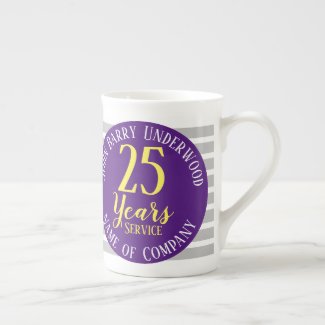
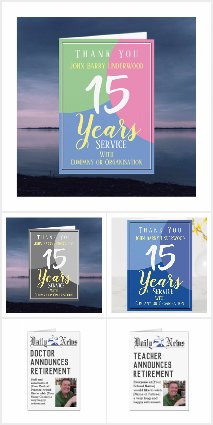
Long Service Award


The long service award is a simple idea that shows appreciation to a member of staff, and recognition of their service.

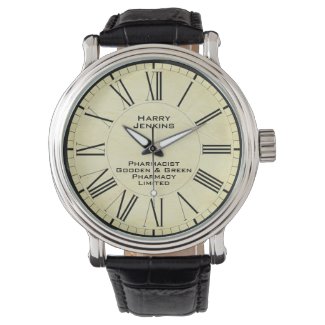
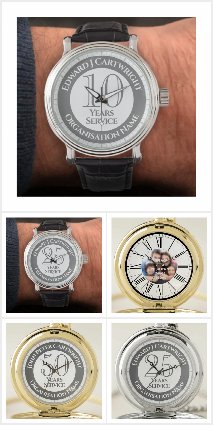
Retirement Watch


A watch is an item that is sure to be valued. The design above is stylish and has a clean design.

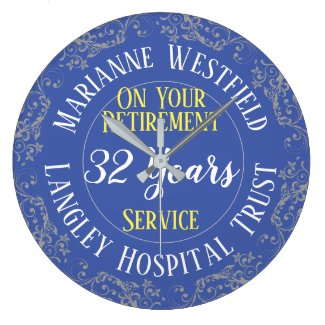
Retirement Wall Clock


Another item that will be displayed in pride of place on the wall!

Long Service Stein


The recipient of this item will surely reflect on his time at work whilst enjoying a cool beer at the same time!

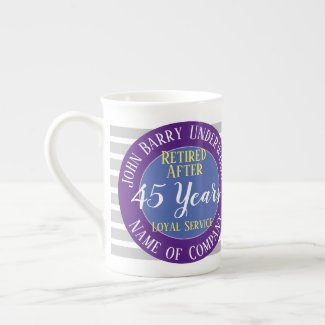
Retirement Mug


Or maybe a personalised coffee mug would be a nice retirement gift. Suitable for a Long Service Award too.

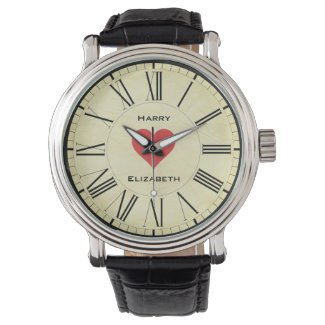
Valentines Watch


Two names - one love. His 'n' Hers watch styles are available with the same design carried across. Each watch has the names of the loving couple.

March 21, 2020

How to Create and Sell a Product on Zazzle...

Zazzle is a great way of bringing in extra income, with earnings paid out at around the middle of every month!


If you've got old artwork files lying dormant on your computer, put them to good use where they can earn you money.

I've created this page to show artists just how easy it is to create a typical product to sell on Zazzle. At the end of the lesson you can then create your own product. You'll see how amazing it looks by virtual reality process, (and you don't have to buy it).

You don't have to, but if you want to sell what you design, first of all Sign Up as a Designer. (It's free.)

How to Create a Zazzle Product to Sell...


For this example, I am going to put one of my cartoon images, plus some text, on a mug.

So, go to the "Create your own" menu, (top left icon on the Zazzle home page), and click on "mug".


Select a product to create on Zazzle


You will now have a choice of blank mugs appear. Here we'll select the Classic Mug.


A selection of blank mug options on Zazzle


The mug appears, ready for you to start designing. You can now add one of your images by clicking the "Add Image" button.


Add an image button on Zazzle


You can upload an image from your computer or, if you've already uploaded images into your Zazzle image folder, select one of those.

For this example, I am going to select an image of a man about to go skiing, which I already have in my library.


uploading or selecting an image on Zazzle

With the image now showing on my design work area, I resize it, and drag it to position it in place. The image that shows within the blue border is what will appear on the mug. I want it to appear on both sides of the mug so I firstly drag this image across to the side. You'll notice that I'm happy to crop off the top and bottom in this instance.


placing an image on Zazzle

Because I want to have the image on both sides of the mug, I copy it by going to "select all"...


Select all option on Zazzle

I then "copy"...

Copy your selection on Zazzle

And finally "paste"...


Paste what you've copied on Zazzle

The image will paste at exactly the same size and in the same position, so just drag it across to where you want it to appear.


Adding text to a design on Zazzle

I am now going to add some wording - in this instance a name, which can be personalised. Simply click the "Add Text" button.


The add text button on Zazzle


A box will appear, and you add the wording you want in this box. I'm adding the name "Christopher".


Field where you add text on Zazzle

Click "OK" and the text will appear on your design. Now we need to choose a font, as well as a size and colour.


Changing the font attributes on Zazzle

I've now changed the font to Ad Lib. Next I click the small rotate anti-clockwise icon to the right. Click twice for 90 degrees. I also change the font size to one that is suitable.


Making text a template object on Zazzle


Because I want the purchaser to be able to change the name to one of their choice, I slide the button which reads "Make this a template object". In the box that then appears saying "Product page label" I put a short description that will appear on the purchasers page, to help guide them into what they have to do. In this instance I write "Your Name Choice".


The product page label on Zazzle


There are many other things you can do, such as change text colour, background colour, add shapes, etc., but for this example I am happy with what I have designed, so I click the button at the top right that says "Done".


The done button on Zazzle
Add caption

Now a new page opens up. In this page we can give the product a Title, and also a Description, plus all-important Tags. There are also some other fields to check, such as department. Zazzle will usually suggest this automatically.


Title and description fields on Zazzle

Once I've filled in the Title and Description, I need to add Tags. This is important. Without appropriate tags, no one will be able to find your product when searching on Zazzle.


The tags field on Zazzle


You can select options for occasions (e.g. Christmas) and types of person (e.g. Doctor), for whom the product is suitable, but we don't need to here as it is suitable for everyone. You do need to give it a "category" in your store. I have created a category called "New Products" and am assigning it to that.


The store and category fields on Zazzle


Finally, set the audience suitability, and the commission that you want from the item. This is what you will earn from a sale. Be advised that Zazzle regularly offers discounts to buyers, with sales codes, and sometimes your earnings will reflect this.


Suitable audience and royalty fields on Zazzle

Once this is all done it's time to "Post It" for Sale!

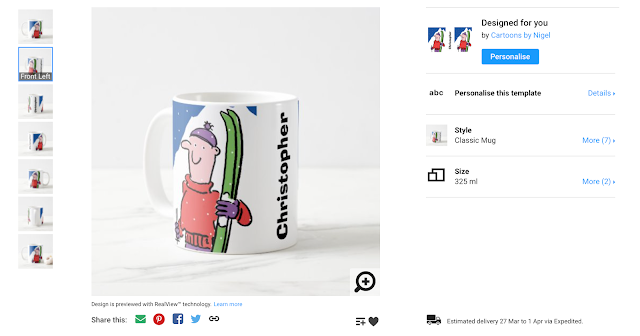
Your fantastic new mug appears, ready for a buyer to personalise and purchase. Note that Zazzle has automatically placed some useful little Sharing Buttons underneath.


Product showing ready to personalise on Zazzle

If you want to make your own mug, using the above design as a template, click the image, or this link.

I hope this has been helpful. You can sign up with Zazzle and start making money from your own designs and creations by clicking This Link or the banner below...
Shop & Create on Zazzle

See more of my cartoons at www.nigelsutherland.co.uk

If you liked my post, please share via the buttons below. Thanks!

March 17, 2020

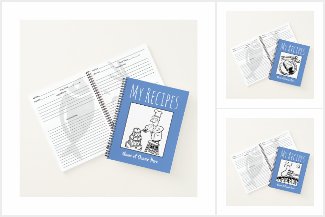
I Designed a Range of Recipe Books Using Fun Cartoons for the Covers...

One particular product I have designed using cartoons from my archives has been the Recipe Book. I sold several quite rapidly after I first posted them in my Zazzle store.

Because they can be personalised with the name of the recipient, they make a nice gift idea.

There is a choice of page style for the inside pages of these items, and obviously the recipe layout was the one for these.


I created a special collection for these books, and so far I have a choice of three cover options.

Here is a link to the full collection.


You can sign up with Zazzle and start making money from your own designs and creations by clicking the banner below...
Shop & Create on Zazzle

See more of my cartoons at www.nigelsutherland.co.uk

If you liked my post, please share via the buttons below. Thanks!

December 11, 2019

Cartoons can look Great on Notebooks. Have a Look...

Notebooks are a good vehicle for carrying cartoon illustrations. Often you can tie a cartoon that you have produced with a particular subject, and the image lends itself to being the feature on the cover.

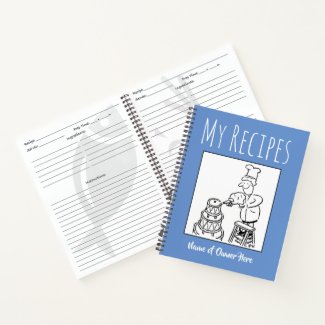
Here’s an example of how I’ve promoted a notebook as a recipe book, and used a funny cartoon image I’d drawn. The type style complements it too, and that is deliberate. No surprise that I've already sold a few of this design.


Another great feature is that the buyer can make it personal by having their own choice of name.


See more of my cartoons at www.nigelsutherland.co.uk

If you liked my post, please share via the buttons below. Thanks!

December 09, 2019

Christmas Snowman...

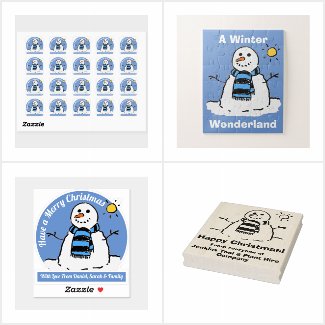
It's that time of year - so I have revived a snowman cartoon of mine. It's now available on a range of gifts, stickers, jigsaws etc...

Here you can see how I have used it on a Christmas stocking, with the ability to have it personalised. Link...


Child's Christmas stocking with a name added


See more of my cartoons at www.nigelsutherland.co.uk

If you liked my post, please share via the buttons below. Thanks!
August 14, 2019

Introducing my Retirement & Long Service Collections.

I've been working on a new Collection in my Zazzle Store. It occurred to me that there didn't seem to be much available for Long Service Awards, or Retirement Gifts, so I set about creating a few, which can be customised appropriately.

I've so far created clocks, watches, and wall plates, and you'll also find Greetings Cards that are geared to specific professions.

Take a look at what I have in this collection so far, and also, the various other collections I have in my Zazzle store, HERE >>

See more of my cartoons at www.nigelsutherland.co.uk

If you liked my post, please share via the buttons below. Thanks!